Cable Carrier for Engraving Machine and CNC Router: Sizing Guide
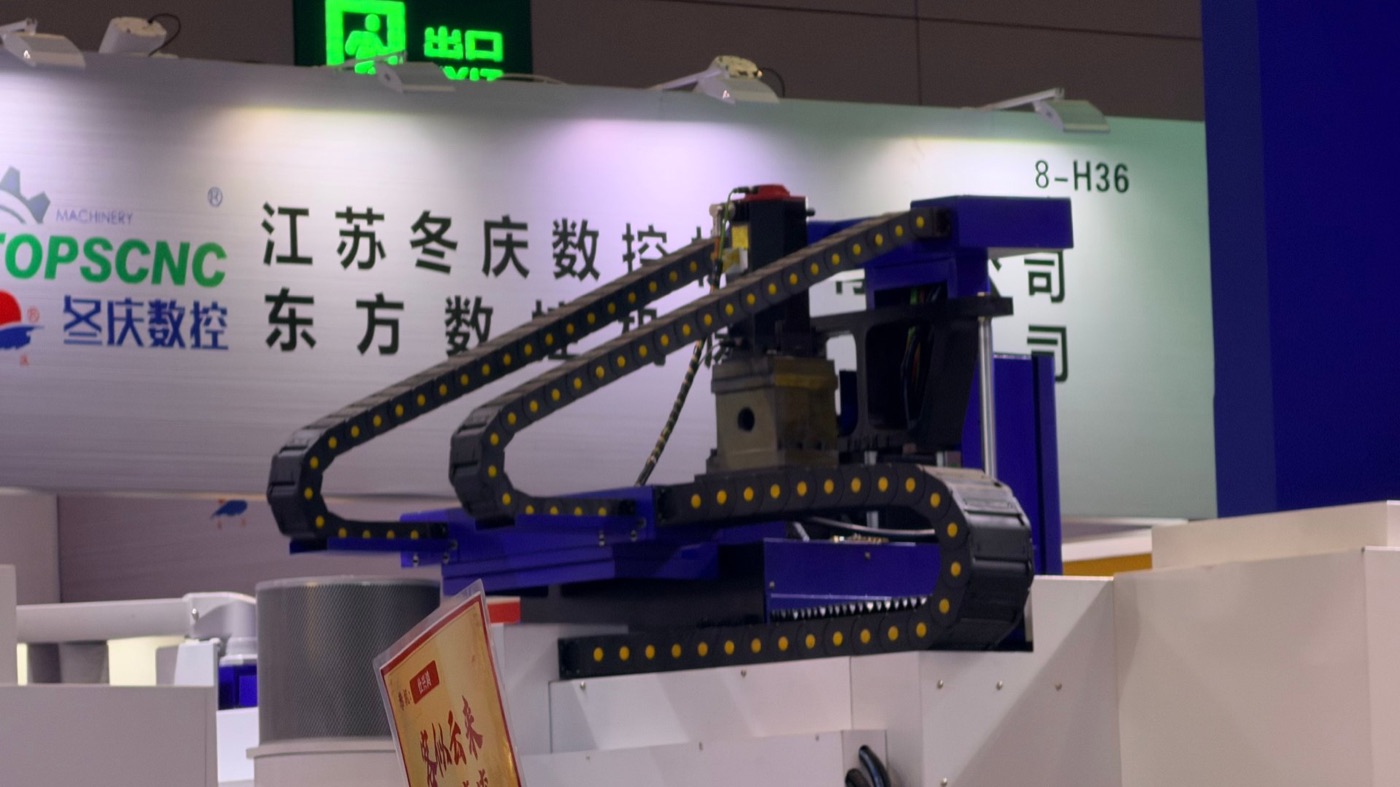
Why an Engraving Machine Wears Carriers Differently
An engraving machine or a light CNC router does not destroy a cable carrier with load. It destroys it with repetition. A heavy machining centre might complete 40 cycles an hour; a small engraving head running a raster path can reverse direction several times a second, all day, for years. The chain is short, the cables are thin, the acceleration is high and the ambient air is full of fine abrasive dust. A carrier chosen from a general catalogue by inner width alone will fail in months, while the same machine with a correctly specified chain runs for the life of the machine.
This guide covers the four decisions that actually determine service life on this class of machine: cavity sizing around the bundle, link design for high cycle counts, protection from chips and dust, and cable selection for continuous low-load flexing.
The Real Duty Cycle: Short Stroke, Many Cycles
Before choosing a series, measure the duty rather than the machine. Three numbers decide almost everything.
- Stroke. On a benchtop engraver this may be 200 to 400 mm; on a 1300 x 2500 mm router it can be 2.6 m on the long axis. Stroke sets the chain length, and chain length sets the bending radius you can afford.
- Cycles per hour. A raster engraving path reverses at every line. At 0.3 mm line pitch and 300 mm/s feed, that is roughly 100 reversals per second at the head. Even if the carrier only sees a fraction of those, the link joints see millions of cycles per week.
- Acceleration. Light gantries reach 5 to 20 m/s². High acceleration is what pulls a badly sized chain off its own centreline and what fatigues a stiff cable.
Design life for this class is normally quoted in cycles, not years. Ask for 5 to 10 million cycles on the small axes and 2 to 5 million on the long gantry axis, and compare that number between suppliers rather than comparing price per metre.
Typical Sizes by Machine Class
The table below gives the range that covers most engraving and routing machines. It is a starting point for the enquiry, not a substitute for measuring the actual bundle.
| Machine class | Axis stroke | Typical inner height | Check this first |
|---|---|---|---|
| Benchtop engraver, 300 – 600 mm table | 0.2 – 0.5 m | 15 – 25 mm | Minimum bend radius of the spindle cable |
| Sign router, 1300 x 2500 mm | 1.3 – 2.6 m | 25 – 40 mm | Sag and support on the long axis |
| Stone or glass engraver with water lines | 0.6 – 1.5 m | 35 – 50 mm | Hose stiffness and cavity clearance |
| Laser engraver, sealed optics | 0.3 – 1.2 m | 15 – 30 mm | Dust ingress into the link joints |
| Multi-head router, 4 to 8 spindles | 1.5 – 3 m | 40 – 60 mm | Bundle weight and cable count |
Sizing the Cavity Around the Bundle, Not the Connector
The most common sizing error on an engraving machine is to measure the largest connector and pick a cavity that just fits it. A connector passes through once; the cable flexes through the cavity millions of times. The cavity must be sized so that the bundle can move inside it.
- Lay the cables and hoses out flat, side by side, as they will sit in the chain. Measure the total width and add 10 to 15 % for movement.
- Stack height should be no more than about 1.2 times the widest single cable, so the bundle arranges itself in one layer plus one.
- Leave at least 10 % free height above the bundle. A bundle packed tight against the cavity roof wears through its jacket at the bend.
- Separate pneumatic hoses from signal cables with a vertical separator, and put the hoses on the outside of the bend where they have more room.
- Never run a cable loose inside a cavity that is much too large; it will whip at every reversal and fail at the connector.
If the calculated cavity falls between two stock sizes, take the larger one. The cost difference is small and the life difference is not.
Dust, Chips and Abrasive Fines
Engraving produces fine powder, not chips. Wood dust, acrylic swarf, glass powder and stone dust all behave the same way inside a carrier: they settle into the joint between two links and act as a grinding paste. Three design details matter more than any filter.
- Open or closed links. For dry dust, an open link design lets the powder fall out. For wet machining with coolant mist, a closed link keeps the swarf out. Do not mix the two on one machine.
- Joint clearance. A joint with a large running clearance self-clears but wears faster. A tight joint keeps dust out but traps what gets in. On an engraver, specify a joint with a defined clearance and a smooth, non-porous pin surface.
- Mounting position. Mount the chain on the side of the gantry away from the cutting zone, or fit a simple sheet-metal shield above it. A 1 mm aluminium cover over the chain typically doubles life on stone and glass work.
On machines cutting carbon fibre, GFRP or abrasive composites, treat the carrier as a consumable and inspect the joints at every scheduled service. No link design survives that dust indefinitely.
Cable Choice for High-Cycle, Low-Load Flexing
The carrier is only half the system. On an engraving machine the cables are usually the first failure, because a standard flexible cable with a stranded conductor breaks strand by strand at the clamp.
| Requirement | What to specify | Why it fails otherwise |
|---|---|---|
| Conductor | Fine-strand, rope-lay, class 6 or better | Coarse strand work-hardens and cracks at the bend |
| Jacket | PUR or TPE, low adhesion, smooth surface | PVC sticks to itself and to the cavity wall |
| Bend radius | At least 7.5 x cable diameter for continuous flex | Below that, the shield opens within weeks |
| Shield | Wrapped foil plus braid, or braid only | A spiral shield unwinds at every cycle |
| Clamping | Individual clamps at both ends, bundle free in between | Clamping only one end drags the cable through the chain |
Spindle cables deserve separate attention. A 2.2 kW spindle cable at 15 mm diameter needs a bend radius of at least 110 mm, which often forces the next chain size up. Check that before finalising the carrier, not after the machine is built.
Noise and Vibration on a Light Gantry
On a light aluminium gantry, the carrier can be the loudest component on the machine. The chain runs at high speed over a short distance, and each link impact travels straight into the extrusion. Three changes reduce it.
- Use links with an elastomer damper or a rolling-contact design instead of a hard plastic stop.
- Keep the chain straight and level; a slight side preload makes the links click at every reversal.
- Add a rubber pad between the mounting bracket and the gantry extrusion. The pad costs almost nothing and removes most of the structure-borne noise.
If the machine is used in a workshop with an operator standing beside it for eight hours, this is a specification item, not a comfort extra.
Mounting and Support on a Short Stroke
Short-stroke axes are often mounted with both ends fixed and the chain simply looping, with no guide trough. That works up to about 1.5 m of travel if the chain is stiff enough to stay in plane. Beyond that the lower run starts to sag and the links rub against each other.
- Support the lower run with a stainless or polymer glide strip rather than letting it hang.
- Align the two mounting brackets to within 0.5 mm in height; a step of 1 mm at the fixed end is enough to make the chain climb out of its own path.
- Use a bracket with a slotted hole so the chain can be tensioned after installation, not a fixed hole pattern.
- On a moving gantry, mount the bracket to a machined face, not to a welded tube. Weld distortion shows up as chain twist.
Inspection Points That Actually Fail
During commissioning, mark the chain at the fixed end and record the date. Then check five things at each service interval.
- Joint wear. Hold the chain vertically and look for a gap opening between links; more than 1 mm of play means the joint is finished.
- Jacket marks. A polished stripe on the cable jacket shows where it rubs the cavity. Move the cable or add a separator.
- Clamp torque. Re-torque the clamps at 500 hours, then annually. Settling is normal.
- Chain length. A chain that has grown by more than 1 % in length has worn joints; it will start to ride roughly on the sprocket or bracket.
- Dust packing. Blow out the joints with dry air at every service; do not wash a carrier with coolant or solvent.
Specification Checklist
Send these seven items with an enquiry and the supplier can quote a workable chain in one pass instead of three.
- Axis type and orientation, with stroke length in millimetres.
- Cycle rate and required design life in cycles.
- Full cable and hose list with outside diameters, weights per metre and minimum bend radii.
- Maximum acceleration and velocity on the axis.
- Environment: dry dust, coolant mist, or both, plus ambient temperature.
- Available mounting space, including the height above the chain.
- Whether the chain must run in a trough, on a glide strip, or unsupported.
With those seven answers, cavity size, bend radius, series and length follow directly, and the quote you receive can be compared like for like between suppliers.
Need a cable carrier for an engraving machine or CNC router?
Tell us the machine type, axis size, cable count, speed and what the chain is exposed to — chips, dust, coolant or dielectric. We reply with the series and material grade that fit, usually within one working day.
Cable Carrier for EDM and Wire-Cut Machines: Oil, Water and Sludge
Vertical Cable Carrier for Machine Tool: Hanging Axis Guide
Related Article